
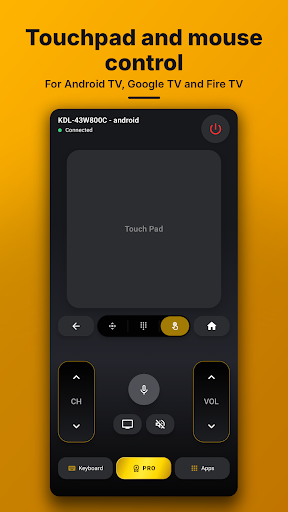
Universal TV Remote Control allows users to transform their smartphone into a remote for various televisions. The app supports both Smart TVs, which connect over a Wi-Fi network, and traditional IR TVs, which use an infrared blaster built into the phone. This enables users to control a wide range of devices, from modern Smart TVs by brands like Samsung, LG, Sony, and Roku, to older, non-smart models, providing a unified control solution.
Controlling Smart TVs via Wi-Fi
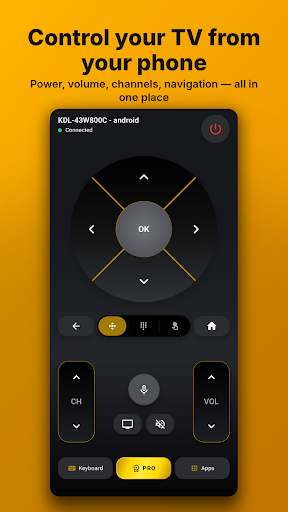
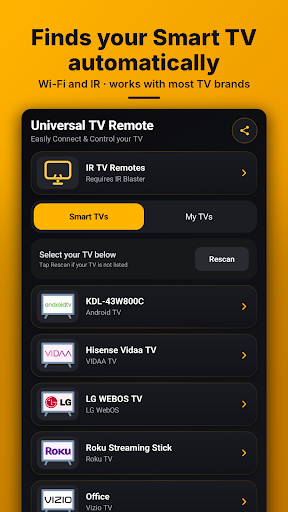
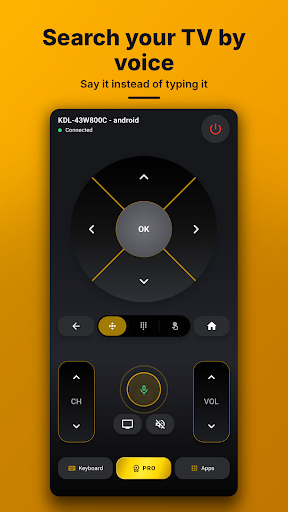
For Smart TVs, Universal TV Remote Control automatically discovers compatible devices on the same Wi-Fi network. Once found, a tap connects the phone to the TV. Supported platforms include Android TV, Google TV, Samsung Tizen, LG webOS, Roku, Amazon Fire TV, Hisense VIDAA, Vizio SmartCast, and Philips. The app offers full remote functionality, including power, volume, mute, channel navigation, D-pad controls, back, home, and input selection. It also features a keyboard for typing searches and passwords, voice search for supported TVs, and a touchpad or mouse mode for Android TV, Google TV, and Fire TV. Users can directly open apps like Netflix, YouTube, and Prime Video with a single tap. The app saves connected TVs for quick access later.
Controlling IR TVs without Wi-Fi
If a phone has a built-in IR blaster—a feature found in many Xiaomi, Redmi, POCO, Huawei, Honor, and older Samsung phones—Universal TV Remote Control can function as an infrared remote. This mode does not require a Wi-Fi connection. Users select their TV brand and model from a list, and the remote is ready to control thousands of TV models, including older, non-smart televisions.
Connection Workflow
To connect to a Smart TV, ensure both the phone and the TV are on the same Wi-Fi network, then open the app. The TV should appear in a list for selection. Some TVs may require a pairing code to be entered on the phone the first time, which the app then remembers. For an IR TV, users open the IR TV Remotes section within the app, choose the television brand, and then point their phone at the TV to operate it.
Practical Considerations
The app’s functionality depends on the type of television and the phone’s hardware. For Smart TV control, both the phone and TV must be connected to the same Wi-Fi network. For traditional non-Smart TVs, the app requires the user’s mobile phone to have a built-in IR blaster. Recent updates have focused on faster connectivity, broader Smart TV support, and improved design and user experience based on feedback.







Write a review